TabProof

Larkfield Supply: audit report

Larkfield Supply is a demo store we built with the problems we find most often on real stores. We audited it exactly the way we audit yours.

Store
Larkfield Supply (demo)
Journey
Home, menu, search, product, cart, checkout button
Method
Keyboard testing and automated checks, confirmed by a specialist
Result
9 problems confirmed, all passed on re-test

Watch the journey

The same keyboard journey on the store before and after the fixes. The labels mark each problem as it happens.

Before: the menu won’t open, the colour swatches are skipped, Space scrolls the page instead of choosing a size, and focus slips behind the cart.
After: the menu opens with Enter, arrow keys choose a colour, and focus moves into the cart and stays there.

Findings

  1. Problem 1 of 9, Every page, WCAG 2.4.7

    There is no focus ring

    What happens
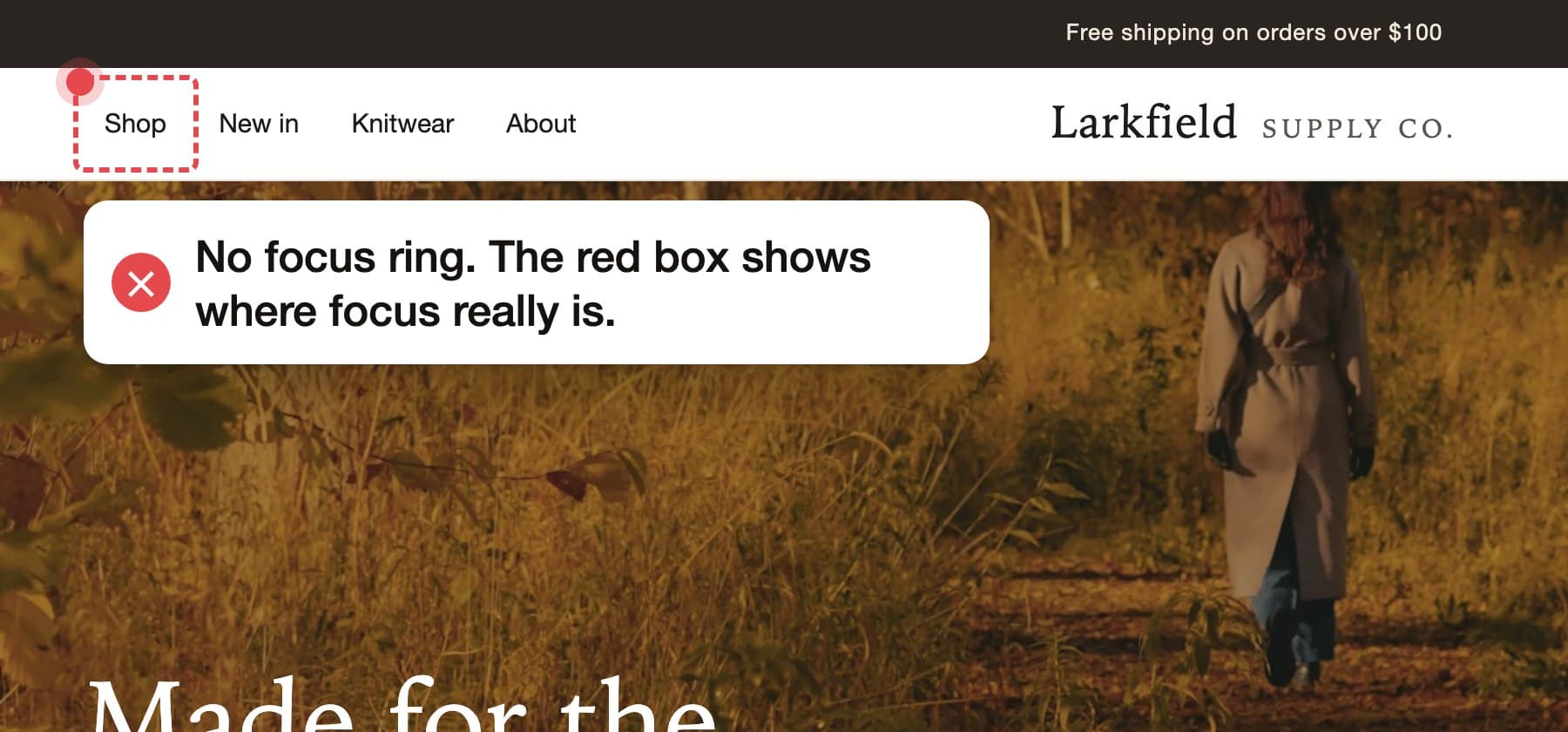
    The theme removes the browser’s focus outline and puts nothing in its place. Pressing Tab moves focus, but nothing on screen shows where it went.
    Who it affects
    Every keyboard shopper, and anyone using a switch device or voice control.
    How we fix it
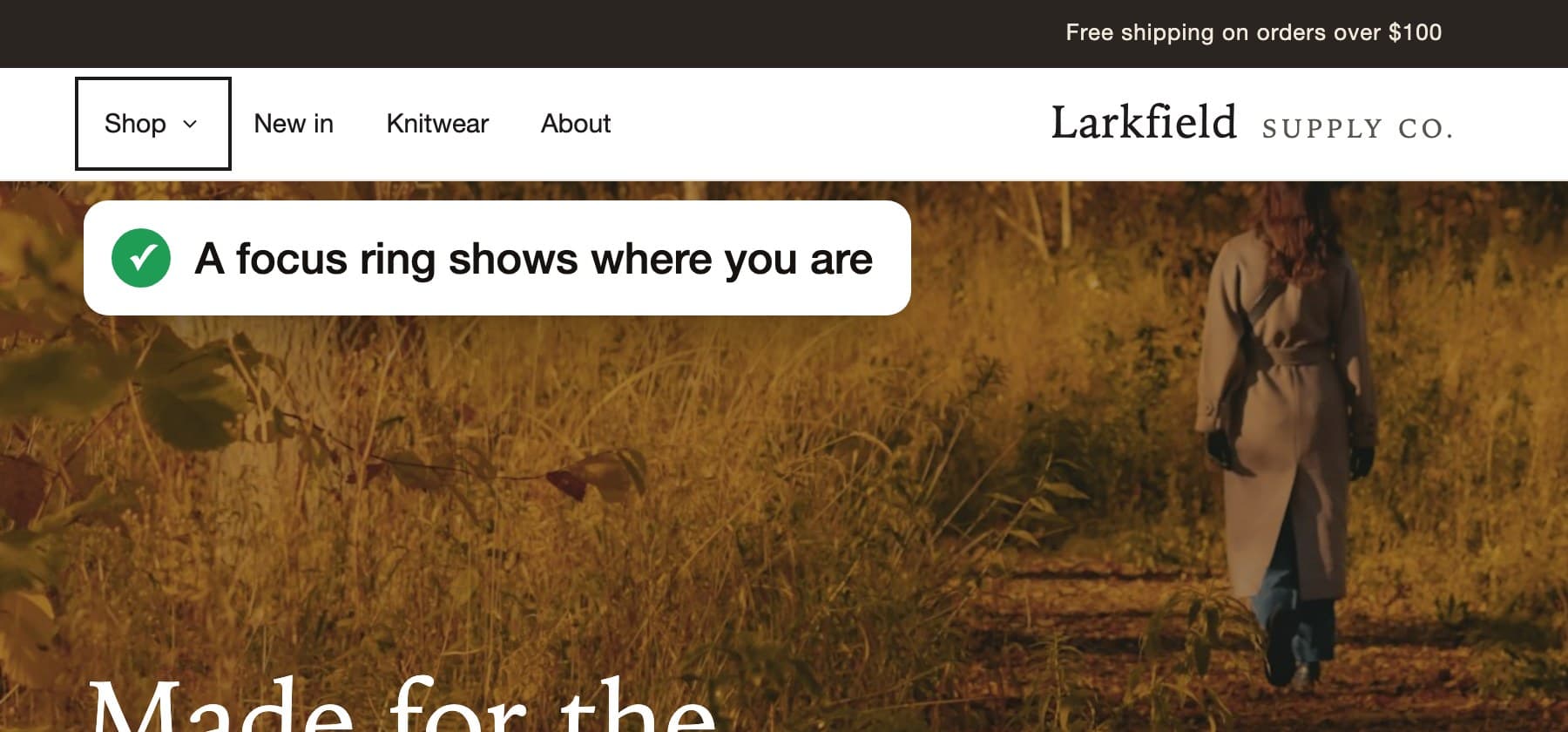
    Add a visible focus ring to every link, button and form field, with enough contrast against the page.
    Re-test
    Passed
    The store header. A red dashed box marks keyboard focus on Shop, which looks no different from the other links.
    Before
    The store header with a dark focus ring around Shop.
    After
  2. Problem 2 of 9, Menu, WCAG 2.1.1

    The Shop menu only opens with a mouse

    What happens
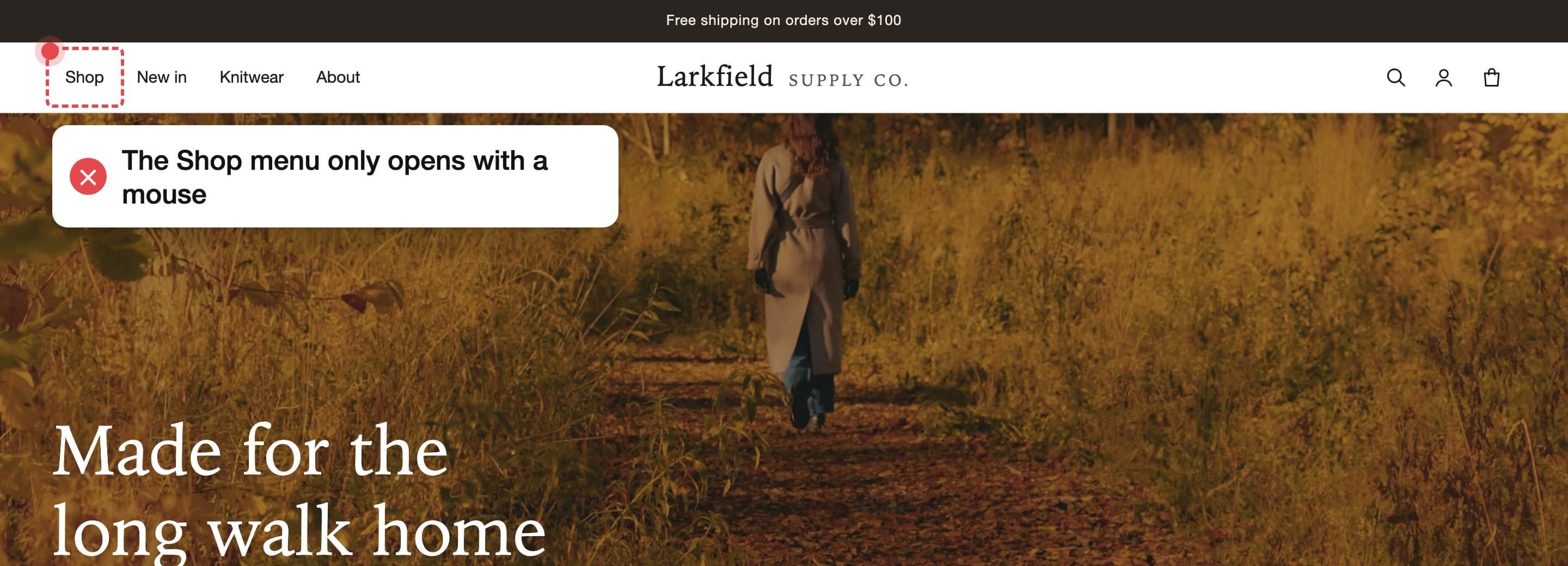
    Pointing at Shop with a mouse opens the menu of collections. Tabbing to Shop does nothing, so its links are never reached.
    Who it affects
    Anyone using a keyboard, a switch device or voice control.
    How we fix it
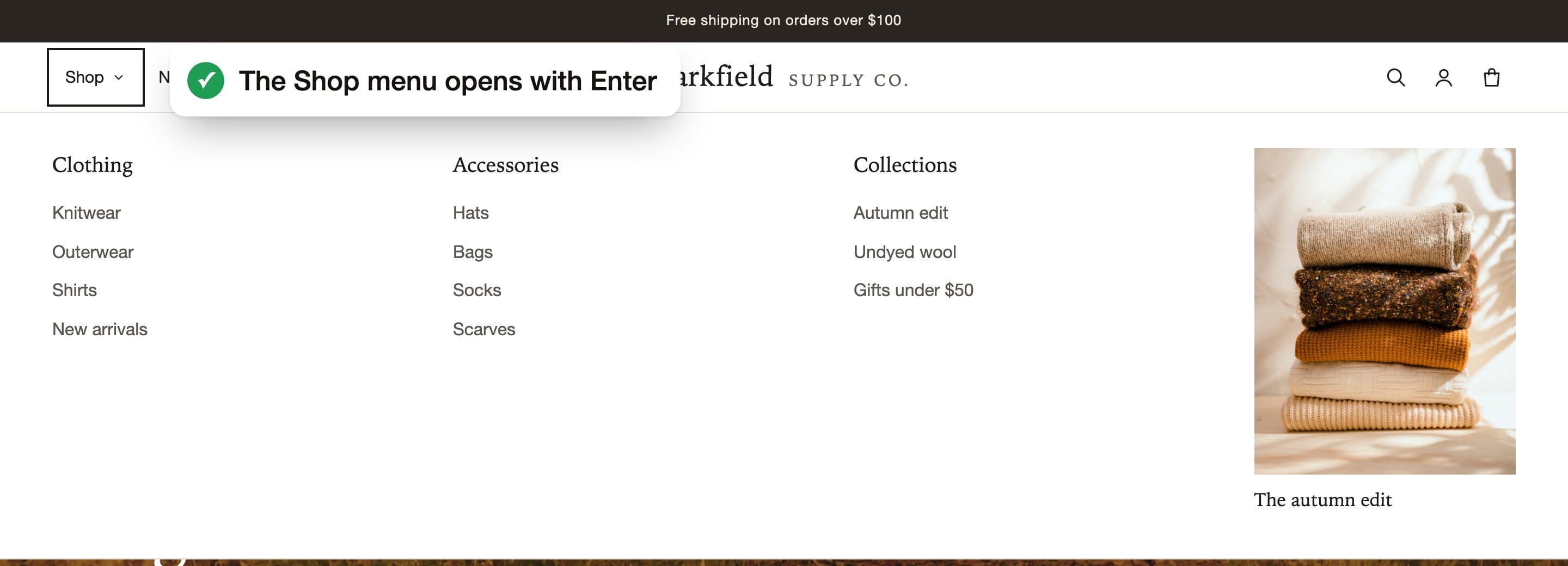
    Turn Shop into a button that opens the menu with Enter or Space, tells screen readers whether it is open, and closes with Escape.
    Re-test
    Passed
    The store header with keyboard focus on Shop and the menu closed. A label says the menu only opens with a mouse.
    Before
    The store with the Shop menu open, showing Clothing, Accessories and Collections. A label says the menu opens with Enter.
    After
  3. Problem 3 of 9, Header, WCAG 4.1.2

    The account and cart icons have no name

    What happens
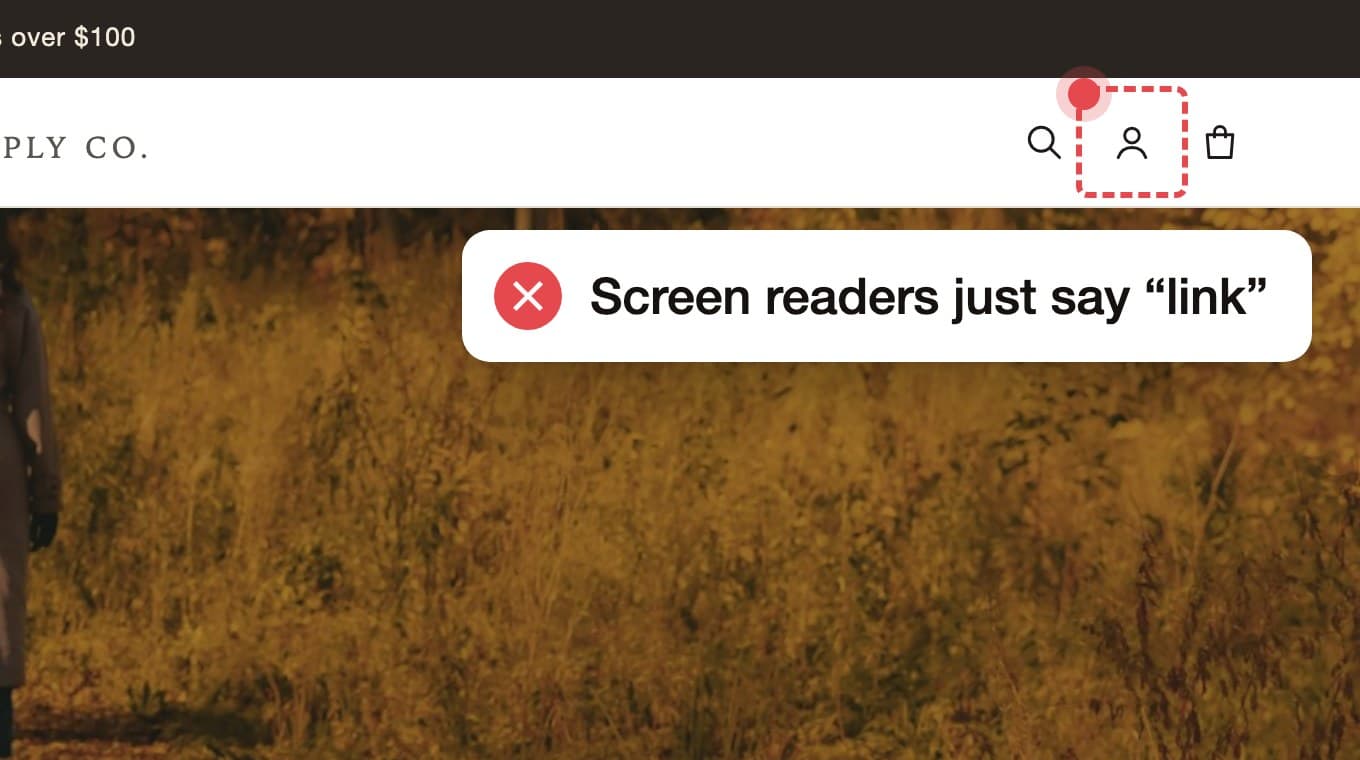
    The icons are links with a picture and no text. Screen readers announce “link” and nothing else.
    Who it affects
    Screen reader users, who can’t tell the account link from the cart.
    How we fix it
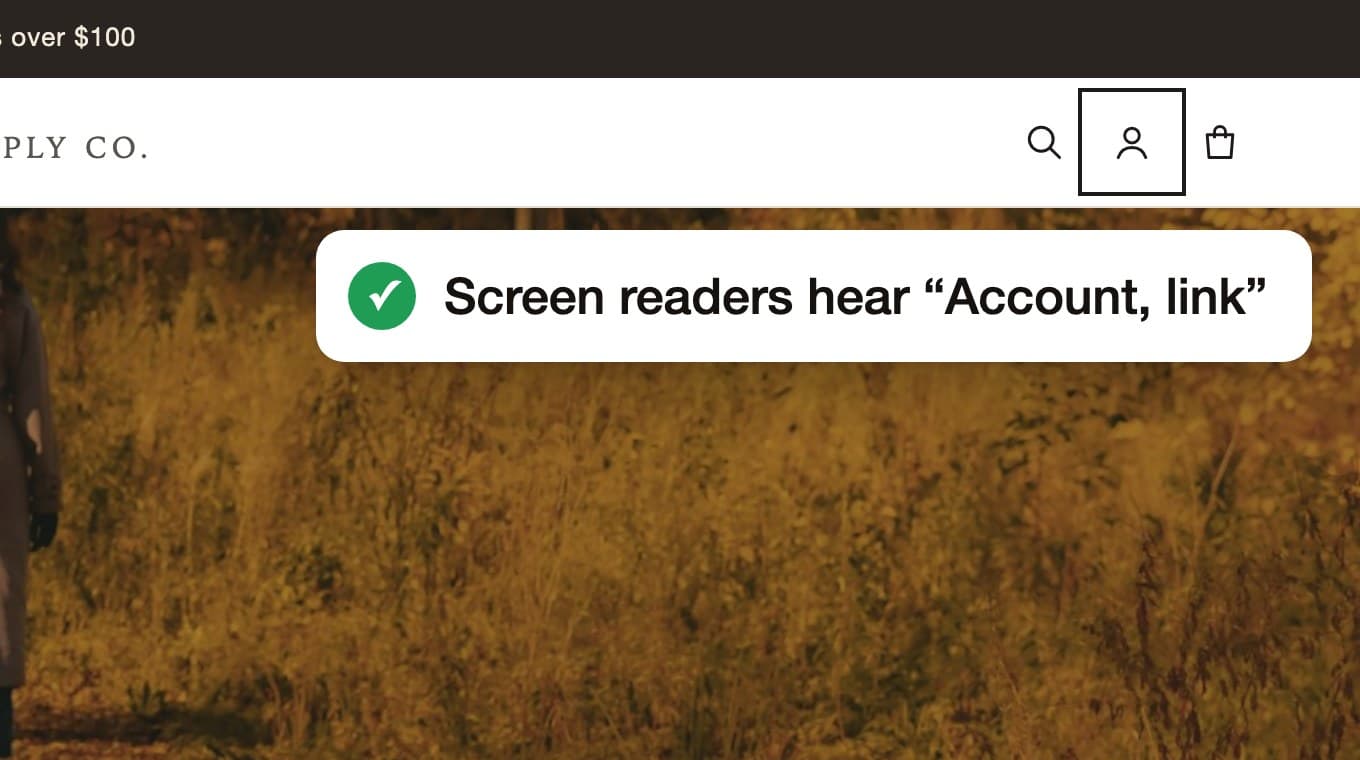
    Give each icon link a name, like “Account” and “Cart, 2 items”.
    Re-test
    Passed
    The account icon with a red focus box. A label says screen readers just say link.
    Before
    The account icon with a focus ring. A label says screen readers hear Account, link.
    After
  4. Problem 4 of 9, Home, WCAG 2.4.7

    Focus disappears into a hidden menu

    What happens
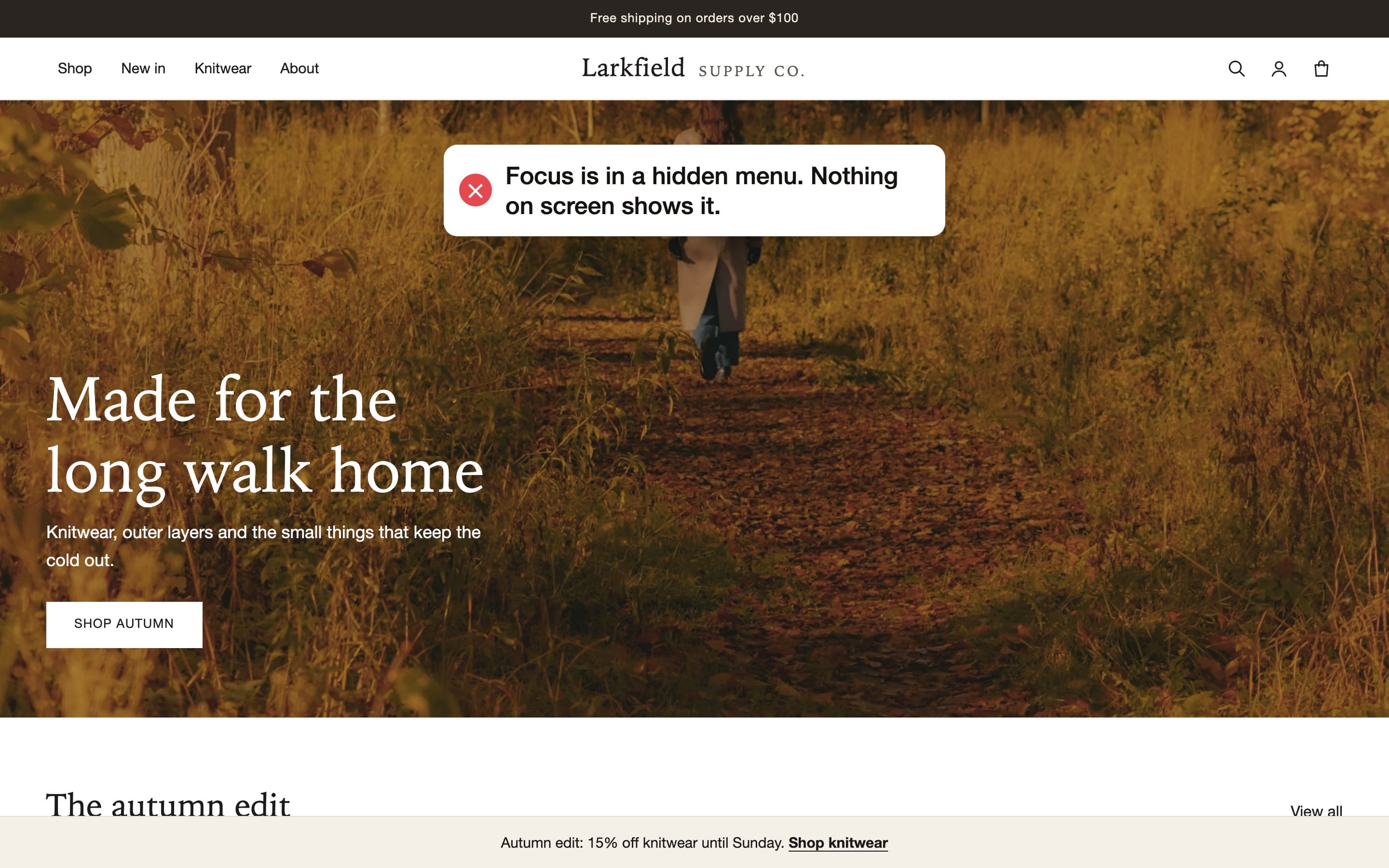
    The phone menu is hidden off the side of the screen but its seven links can still be focused. Keyboard shoppers press Tab seven times with nothing visible happening.
    Who it affects
    Keyboard shoppers, who lose track of where they are.
    How we fix it
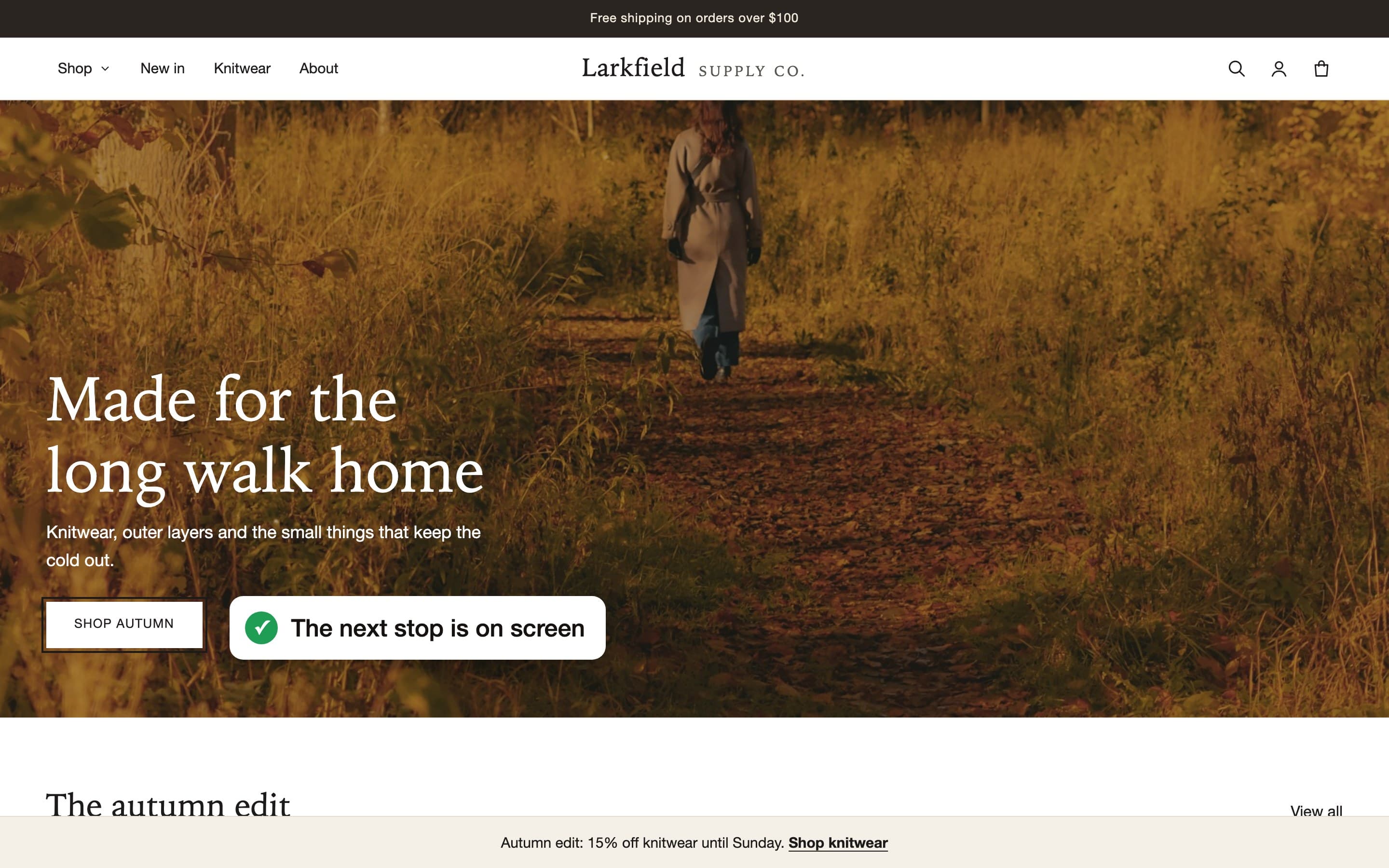
    Hide the closed phone menu from the keyboard as well as from view.
    Re-test
    Passed
    The store home page with no visible focus. A label says focus is in a hidden menu and nothing on screen shows it.
    Before
    The store home page with a focus ring on the Shop autumn button. A label says the next stop is on screen.
    After
  5. Problem 5 of 9, Every page, WCAG 2.4.11

    The offer bar hides the focused link

    What happens
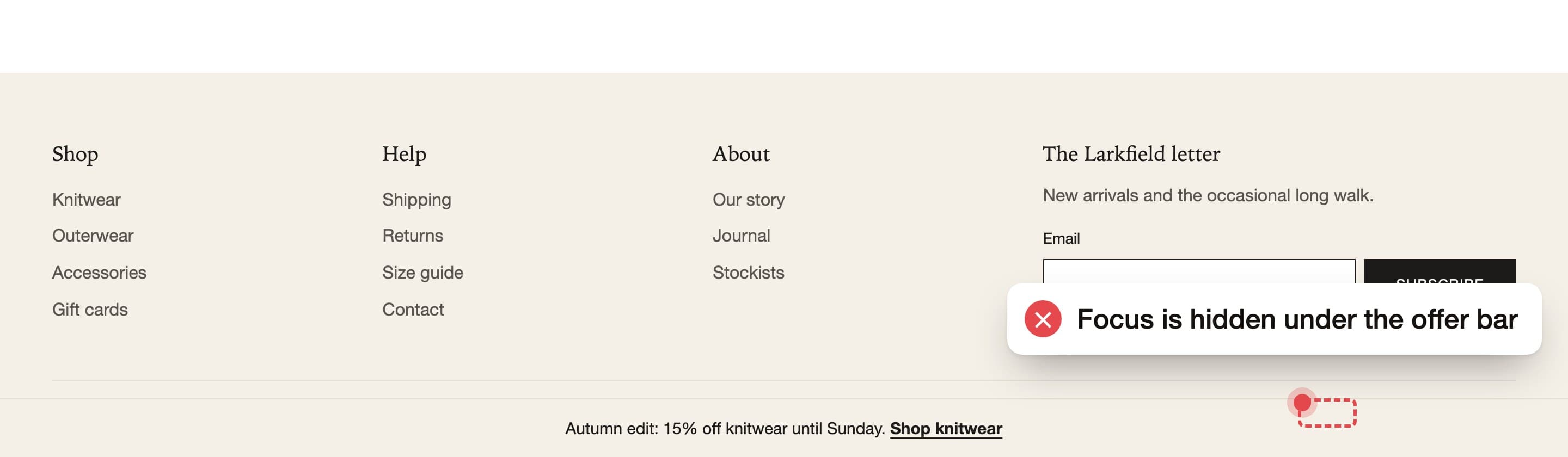
    A bar fixed to the bottom of the screen covers whatever is focused at the bottom of the page, including the footer links.
    Who it affects
    Keyboard shoppers, who can’t see what they are about to select.
    How we fix it
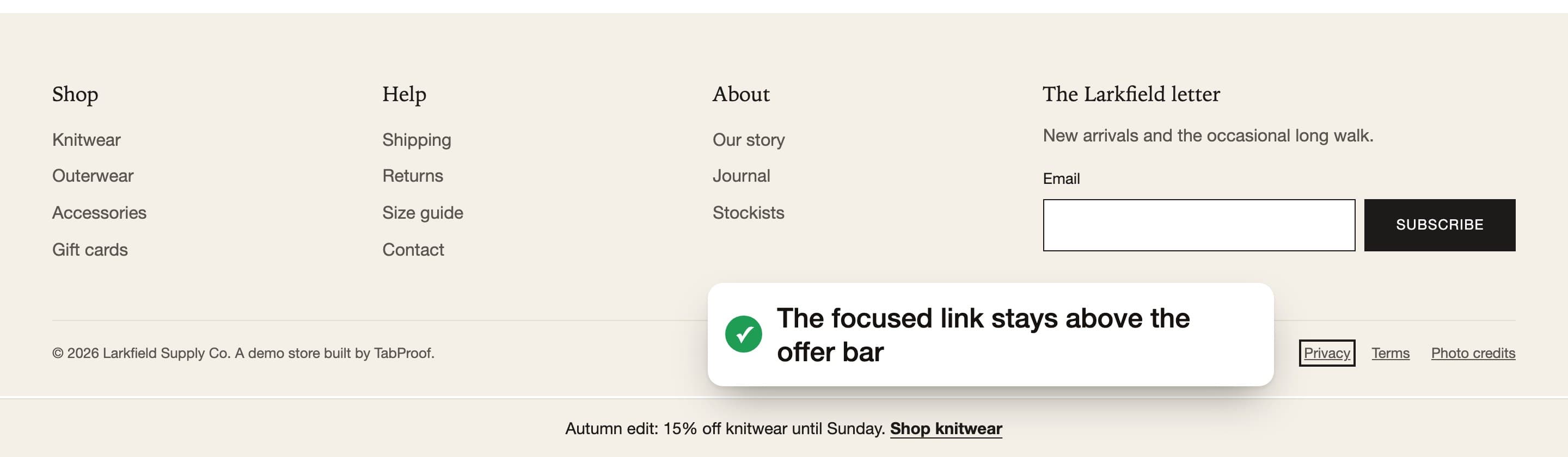
    Reserve space for the bar so focused content always scrolls into view above it.
    Re-test
    Passed
    The bottom of the store. A red dashed box behind the offer bar marks keyboard focus on a hidden footer link.
    Before
    The bottom of the store with the footer links visible above the offer bar and a focus ring on Privacy.
    After
  6. Problem 6 of 9, Search, WCAG 2.4.3 and 4.1.2

    Search opens, but focus stays behind it

    What happens
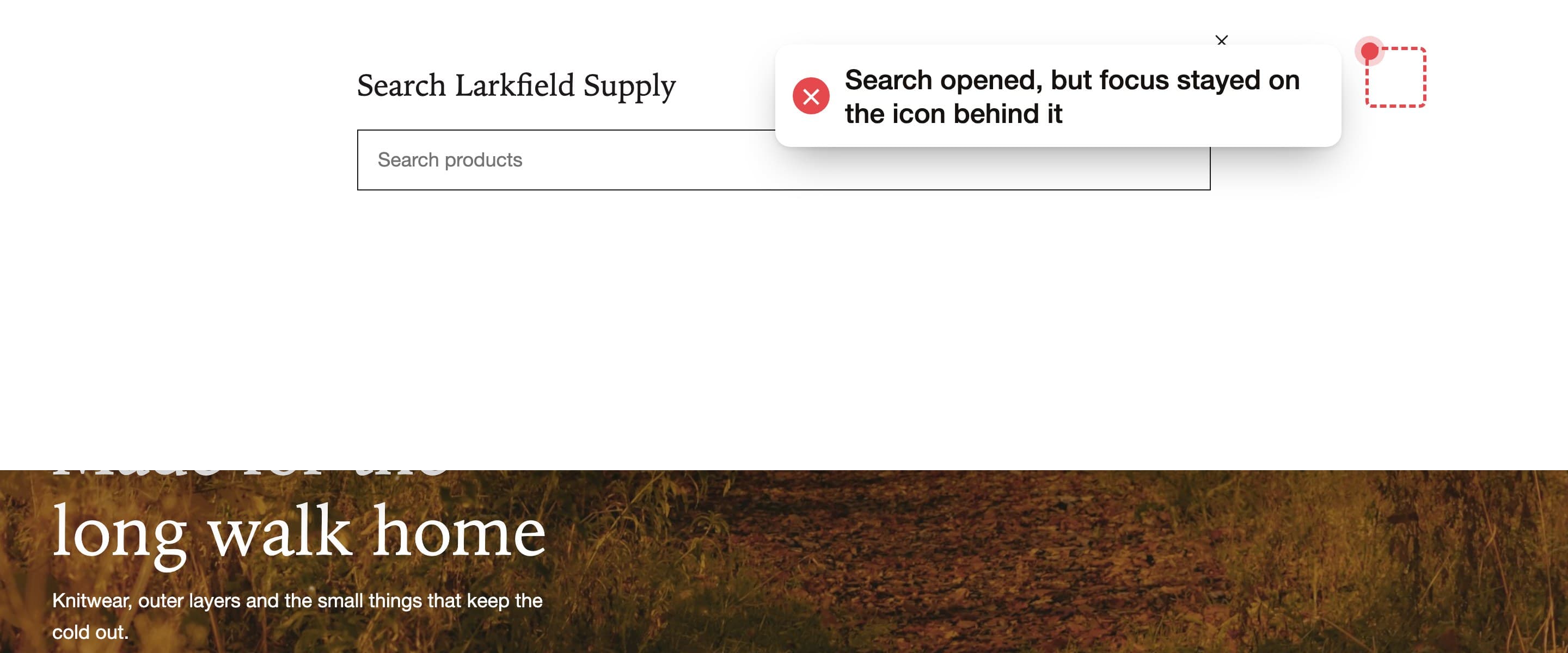
    Pressing Enter on Search opens a search panel, but focus stays on the icon hidden behind it. Escape doesn’t close the panel.
    Who it affects
    Keyboard and screen reader users, who can’t reach the search field.
    How we fix it
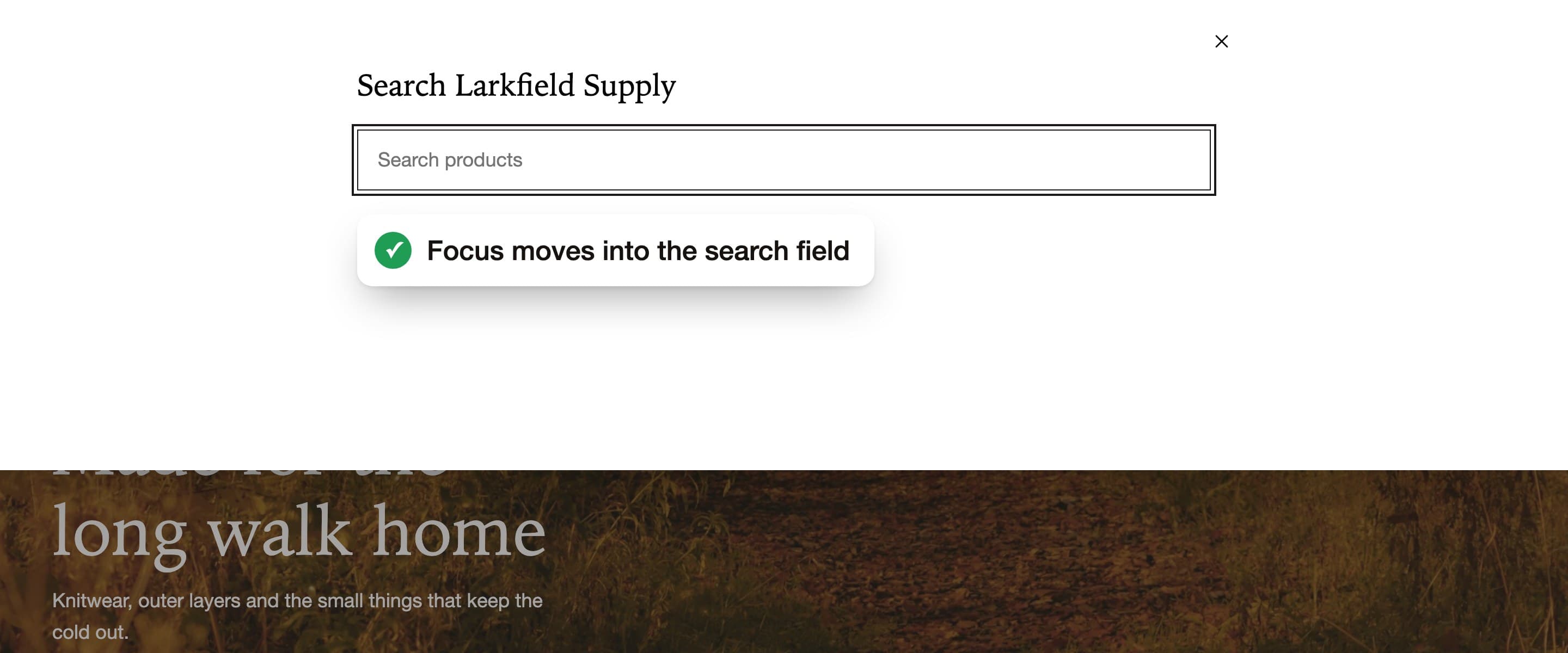
    Make the panel a dialog: move focus to the search field, keep Tab inside, close with Escape and return focus to Search.
    Re-test
    Passed
    The open search panel with an empty field. A red dashed box marks focus on the search icon behind the panel.
    Before
    The open search panel with a focus ring on the search field.
    After
  7. Problem 7 of 9, Product, WCAG 2.1.1 and 4.1.2

    Colour and size options don’t work with a keyboard

    What happens
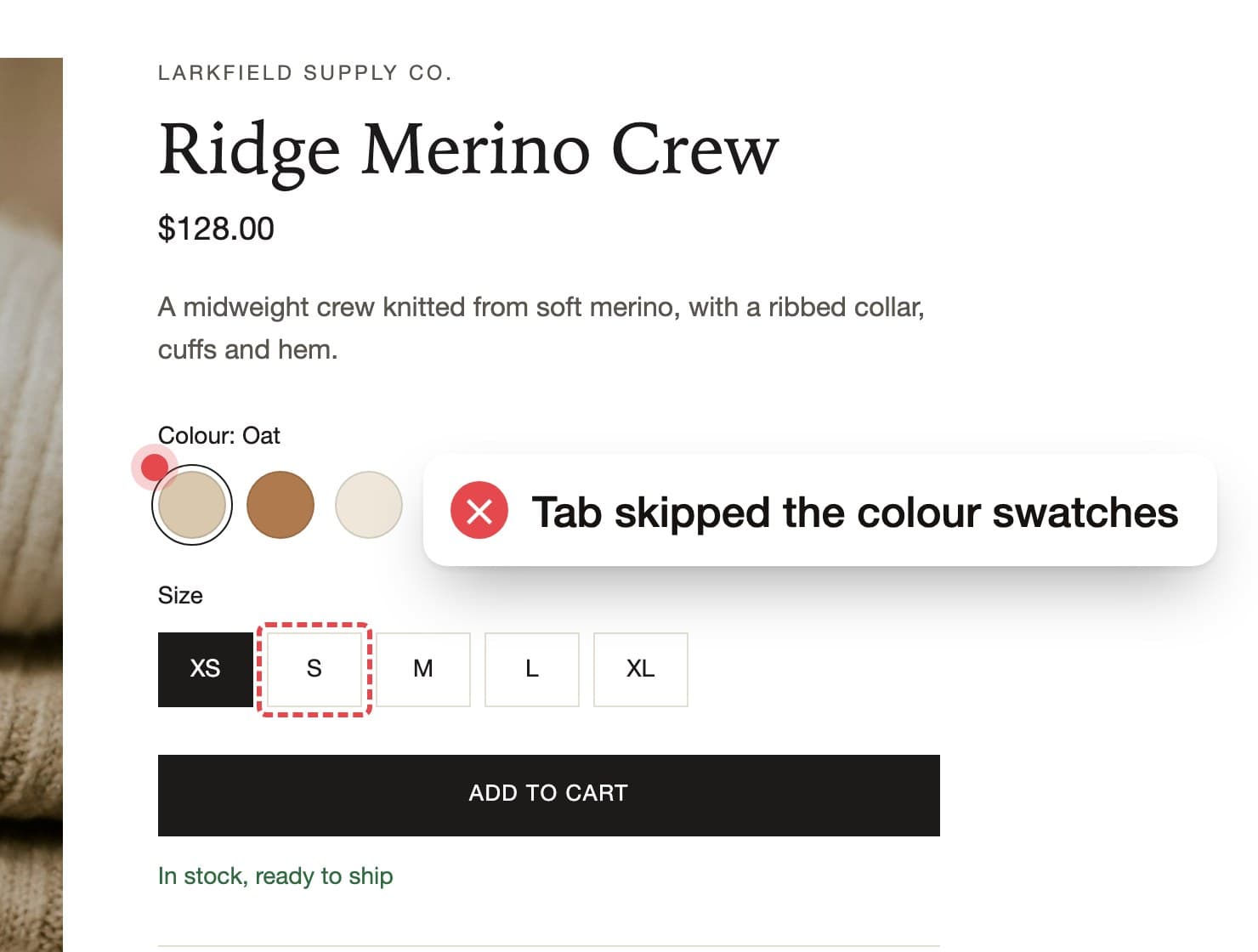
    Tab skips the colour swatches entirely. The size buttons can be focused, but Space scrolls the page instead of choosing a size.
    Who it affects
    Keyboard and screen reader users, who can’t choose a colour or size, or add the wrong one to the cart.
    How we fix it
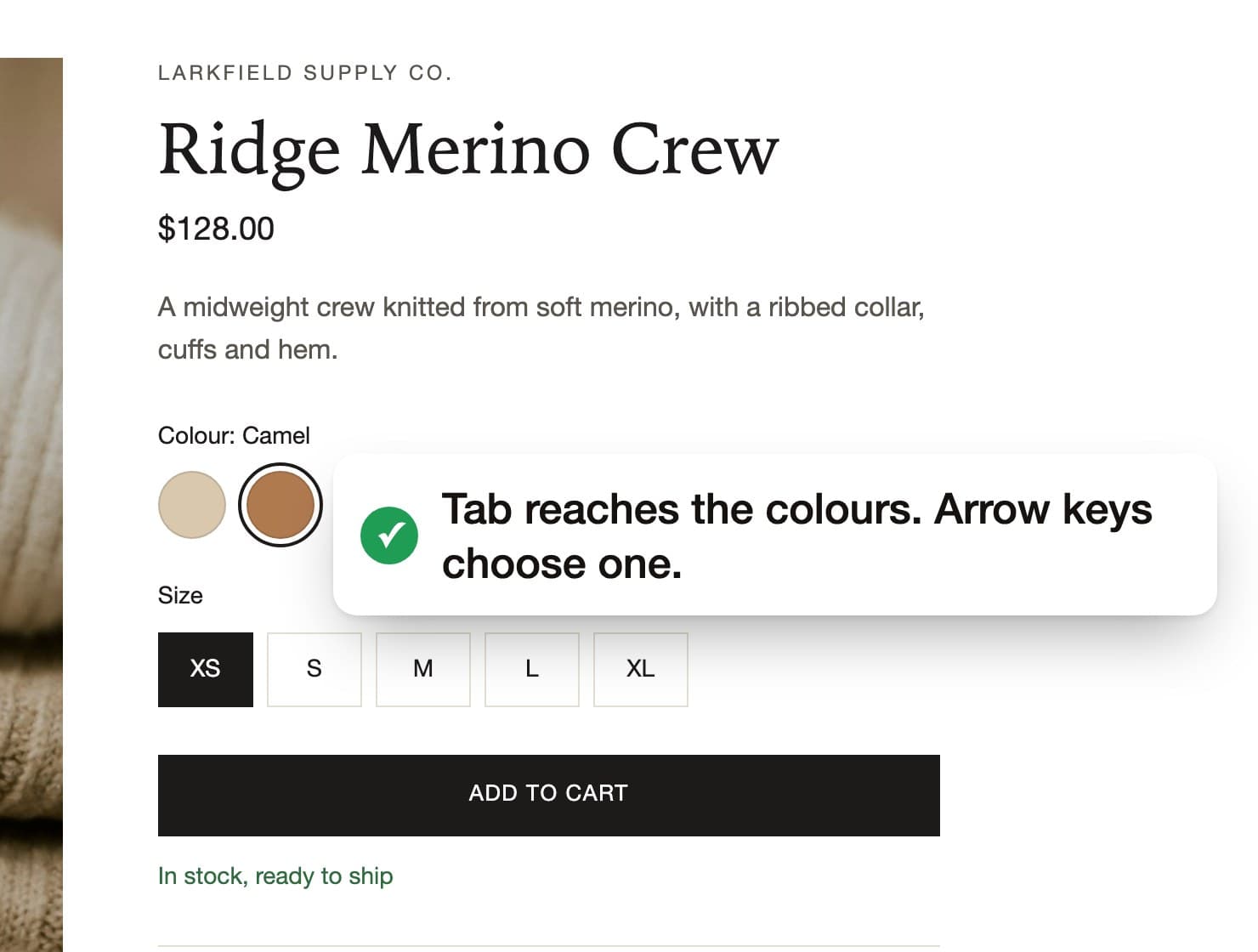
    Use real radio buttons for colour and size, styled as swatches, so arrow keys choose and screen readers announce the selection.
    Re-test
    Passed
    The store’s colour swatches and size buttons. A red box marks focus on size S, and a label says Tab skipped the colour swatches.
    Before
    The colour swatches with a focus ring on Camel. A label says Tab reaches the colours and arrow keys choose one.
    After
  8. Problem 8 of 9, Cart, WCAG 2.4.3

    Focus leaves the open cart

    What happens
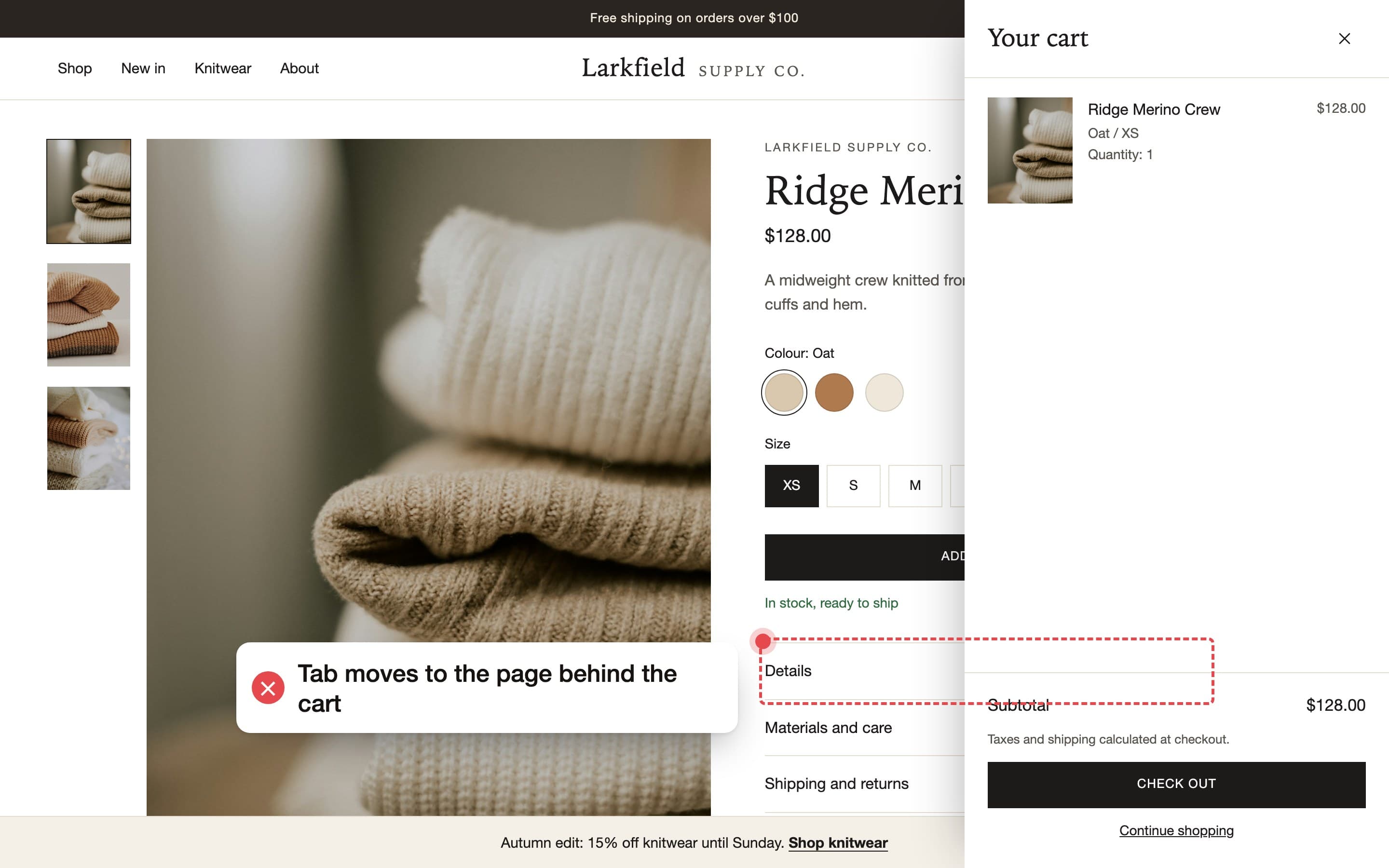
    After Add to cart, the cart drawer slides in but focus stays on the product page. Tab moves through links hidden behind the drawer, and Escape doesn’t close it.
    Who it affects
    Keyboard and screen reader users, who can’t reach Check out.
    How we fix it
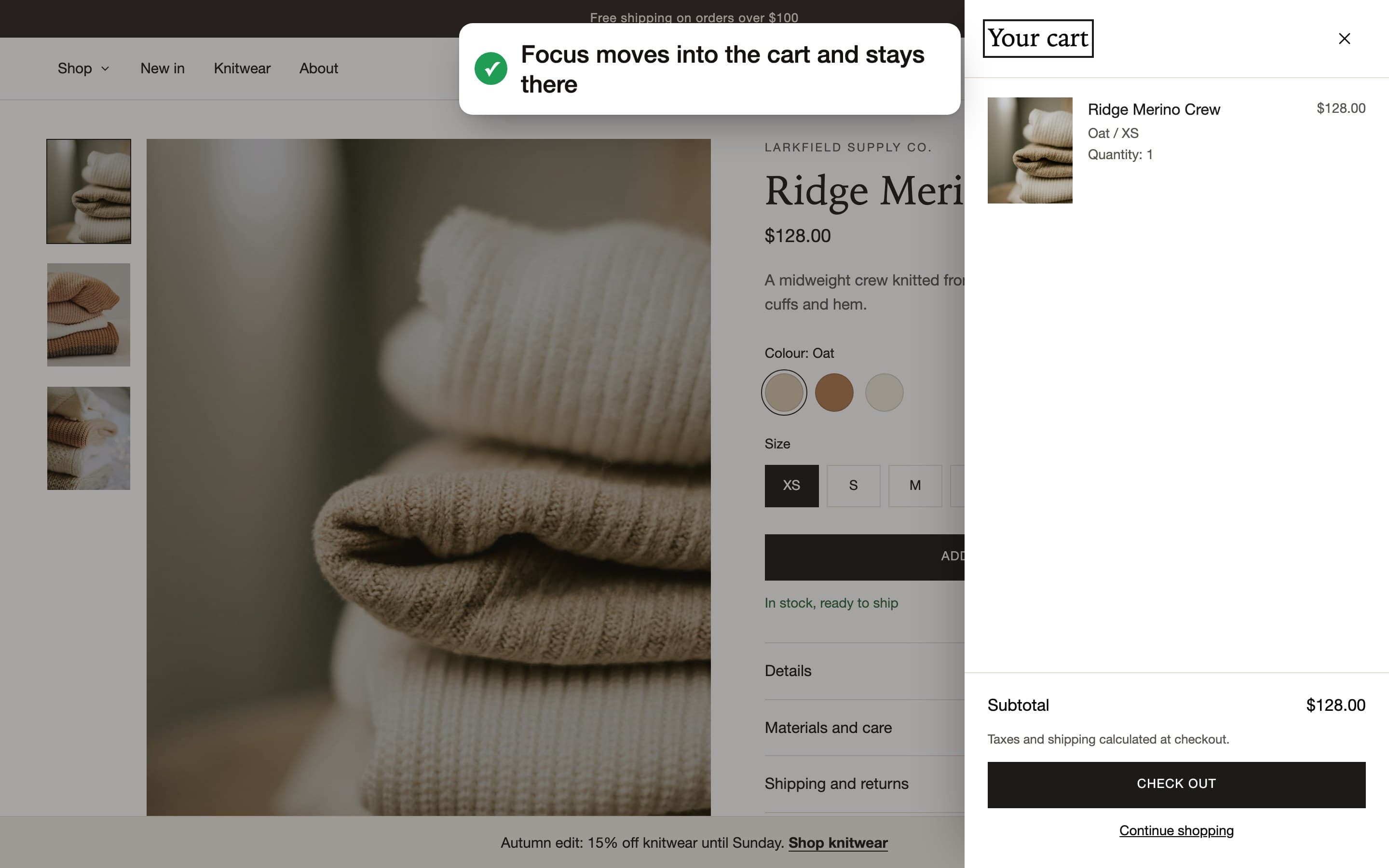
    Make the drawer a dialog: move focus into it, keep focus inside, close it with Escape, and return focus to Add to cart.
    Re-test
    Passed
    The cart drawer open on the right. A red dashed box marks focus on Details, on the page behind the drawer.
    Before
    The cart drawer open with a focus ring on its heading, Your cart, and the page behind it dimmed.
    After
  9. Problem 9 of 9, Home, WCAG 2.4.3 and 2.1.1

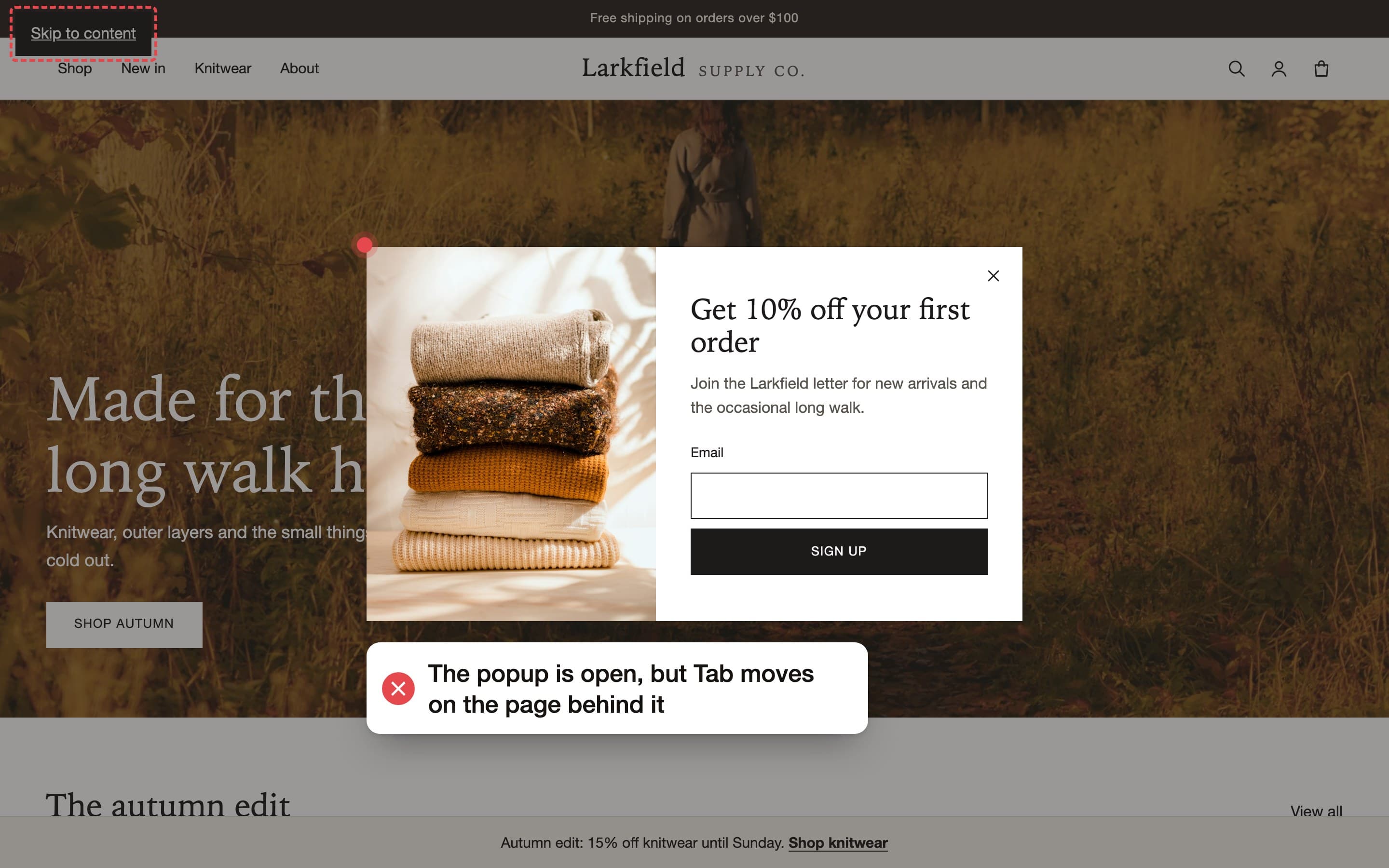
    The sign-up popup doesn’t take focus

    What happens
    A newsletter popup covers the page, but focus stays behind it. Tab moves through the hidden page and Escape doesn’t close the popup.
    Who it affects
    Keyboard and screen reader users, who can’t close the popup or reach the page.
    How we fix it
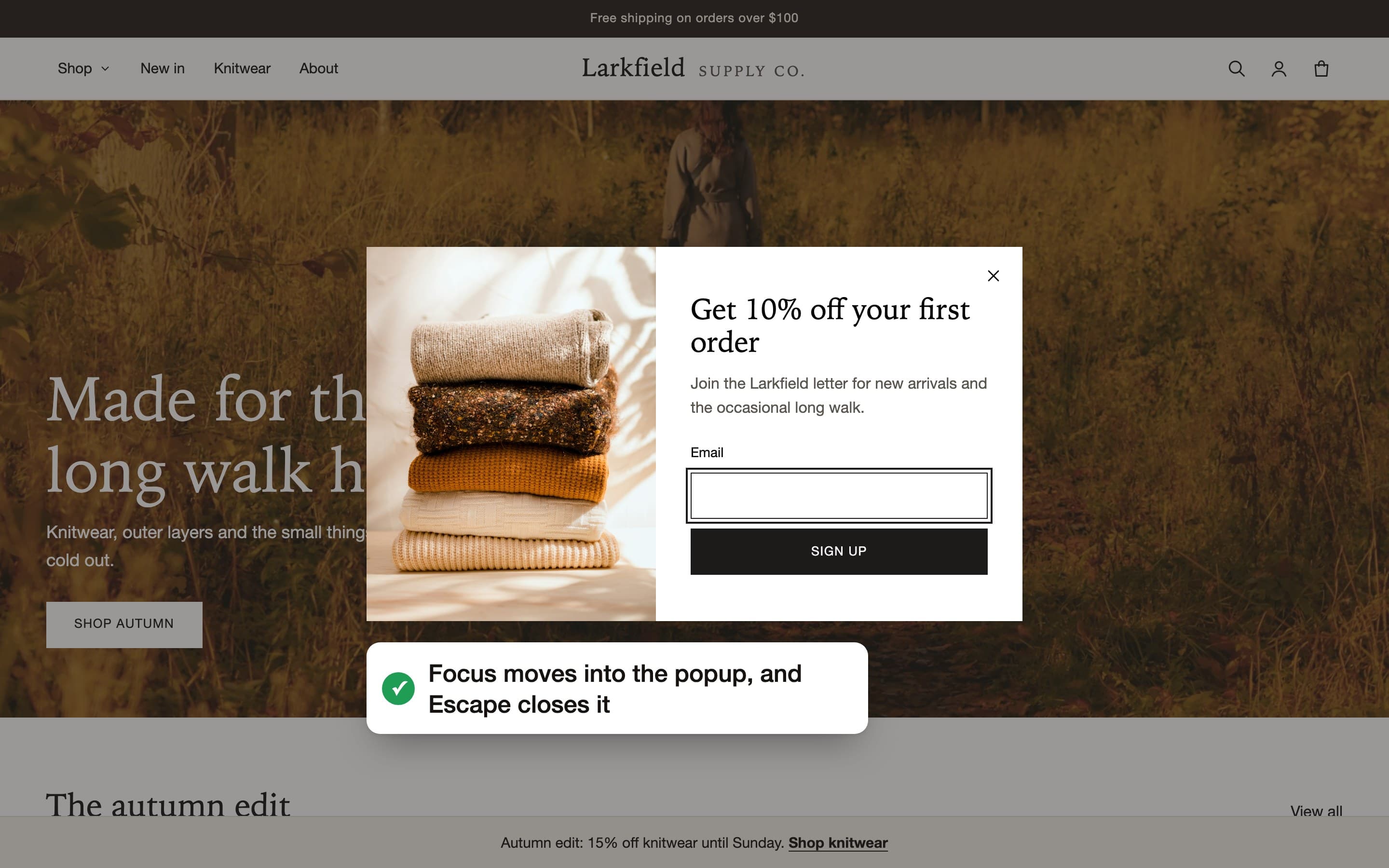
    Open the popup as a dialog with focus inside, close it with Escape, and return focus to the page.
    Re-test
    Passed
    The sign-up popup over the home page. A red dashed box marks focus on the skip link behind it.
    Before
    The sign-up popup with a focus ring on its email field.
    After

Start with a free audit

Send us your store’s address. In 2 business days you get a report of every problem on your home, collection, product and cart pages. No store access needed.

Get a free audit